WMA to AIFF converter
Convert WMA files to AIFF online. Free to use, no account required, and files are deleted after processing.
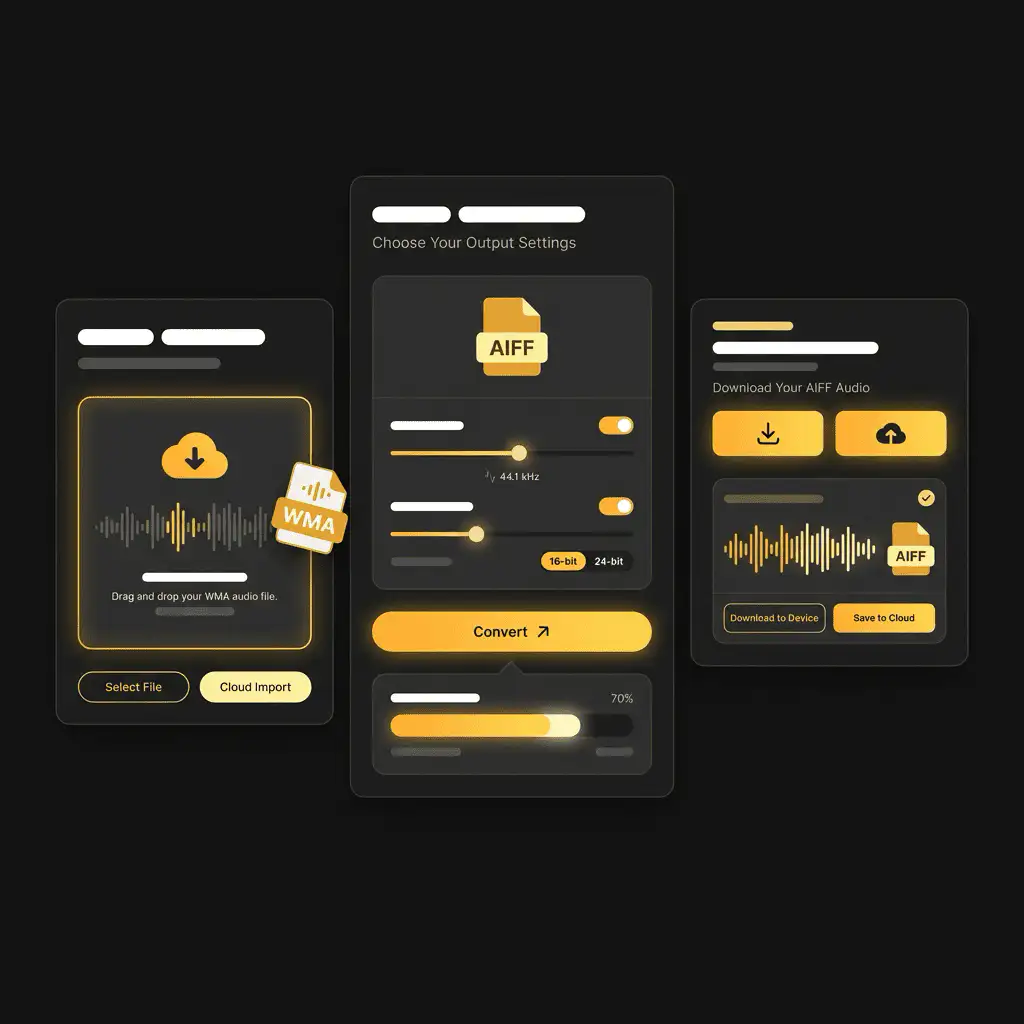
Convert WMA to AIFF without setup
Convert WMA files to AIFF online. Free to use, no account required, and files are deleted after processing.
上传您的文件
从您的设备中选择音频或视频文件,并保留原始文件作为备份。
Pick the output format
选择输出格式,让 Sceneform 为您准备转换后的文件。
下载结果
保存转换后的文件,并在您的编辑器、播放器、存档或发布工作流中使用。
格式说明
Converting WMA to AIFF can make the file easier to edit, but it cannot restore audio detail already removed by the original lossy compression.
What to know before converting WMA to AIFF
A WMA to AIFF converter changes your WMA file into a AIFF file for compatibility, playback, editing, sharing, or publishing. The conversion can make the file easier to use, but it cannot add quality that was not present in the source.
支持的上传格式
Audio uploads: MP3, AAC, FLAC, OGG, WMA, AIFF, WAV, and M4A files up to 200 MB.
输出
This page starts with AIFF selected, so you can convert without changing the format.
质量规则
转换会改变格式和兼容性,但无法恢复原始文件中缺失的质量、分辨率或音频细节。
Understanding WMA and AIFF formats
What is WMA?
WMA is Microsoft's Windows Media Audio format. It is a lossy format built for Windows playback and older Windows-oriented media libraries.
最适合: Windows Media Player, older portable players, car systems, and legacy Windows audio workflows.
What is AIFF?
AIFF is an uncompressed audio format commonly associated with Apple and professional audio workflows. It keeps audio easy to edit but creates large files.
最适合: Mac-based editing, audio production, archival copies, and handoff to creative tools.
Why convert WMA to AIFF?
- Use AIFF when you need an editing-friendly or archive-friendly audio file.
- AIFF can make the file easier to process in audio tools, but it cannot restore detail removed by earlier lossy compression.
- Keep the original source file so you can make future conversions without adding another generation of loss.
Related converters
Convert MP3 files to WMA for compatibility, editing, or publishing.
Extract or convert WAV audio to MP3 for easy playback and sharing.
Convert AAC files to OGG for compatibility, editing, or publishing.
Convert AAC files to M4A for compatibility, editing, or publishing.
Convert OGG files to WAV for compatibility, editing, or publishing.
Convert AAC files to WMA for compatibility, editing, or publishing.
Convert AAC files to FLAC for compatibility, editing, or publishing.
Convert FLAC files to M4A for compatibility, editing, or publishing.
Convert FLAC files to WMA for compatibility, editing, or publishing.
Extract or convert M4A audio to MP3 for easy playback and sharing.
Convert FLAC files to OGG for compatibility, editing, or publishing.
Convert OGG files to AIFF for compatibility, editing, or publishing.
Convert MP3 files to WAV for compatibility, editing, or publishing.
Extract or convert OGG audio to MP3 for easy playback and sharing.
Convert MP3 files to AIFF for compatibility, editing, or publishing.
Convert AAC files to WAV for compatibility, editing, or publishing.
Convert OGG files to WMA for compatibility, editing, or publishing.
Convert OGG files to M4A for compatibility, editing, or publishing.
Convert FLAC files to AIFF for compatibility, editing, or publishing.
Convert M4A files to WAV for compatibility, editing, or publishing.
Convert WMA to AIFF
Upload your WMA file, convert it to AIFF, and download the result. Free to use, no account required.