AAC to FLAC converter
Convert AAC files to FLAC online. Free to use, no account required, and files are deleted after processing.
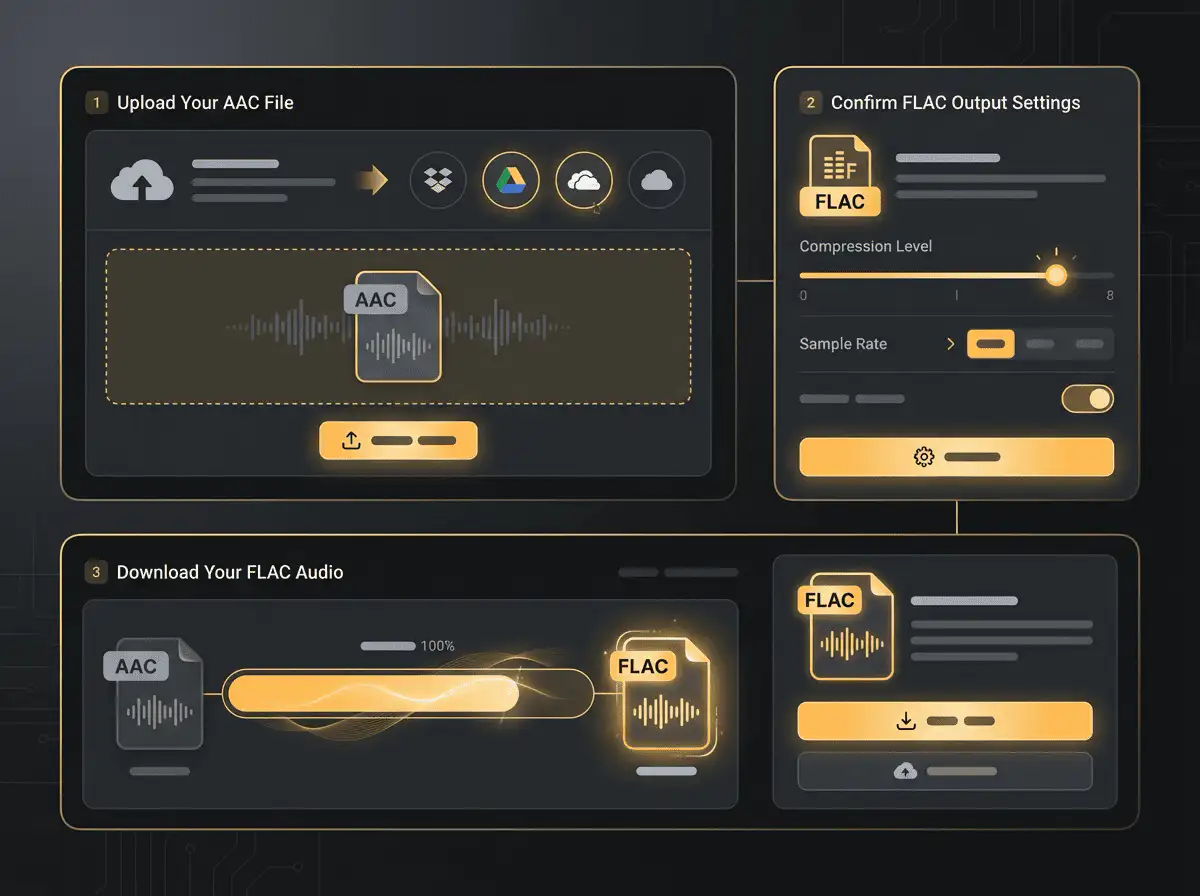
Convert AAC to FLAC without setup
Convert AAC files to FLAC online. Free to use, no account required, and files are deleted after processing.
Încarcă fișierul
Alege fișierul audio sau video de pe dispozitiv și păstrează originalul ca backup.
Pick the output format
Selectează formatul de ieșire și lasă Sceneform să pregătească fișierul convertit.
Descarcă rezultatul
Salvează fișierul convertit și folosește-l în editorul, playerul, arhiva sau fluxul tău de publicare.
Notă despre format
Converting AAC to FLAC can make the file easier to edit, but it cannot restore audio detail already removed by the original lossy compression.
What to know before converting AAC to FLAC
A AAC to FLAC converter changes your AAC file into a FLAC file for compatibility, playback, editing, sharing, or publishing. The conversion can make the file easier to use, but it cannot add quality that was not present in the source.
Fișiere acceptate
Audio uploads: MP3, AAC, FLAC, OGG, WMA, AIFF, WAV, and M4A files up to 200 MB.
Ieșire
This page starts with FLAC selected, so you can convert without changing the format.
Regulă de calitate
Conversia schimbă formatul și compatibilitatea. Nu restabilește calitatea, rezoluția sau detaliile audio care lipseau din fișierul original.
Understanding AAC and FLAC formats
What is AAC?
AAC is a lossy audio format used by many phones, browsers, and streaming workflows. It is designed to keep speech and music clear at smaller file sizes.
Ideal pentru: Apple devices, mobile playback, online audio, and efficient music or voice files.
What is FLAC?
FLAC is a lossless audio format. It compresses audio without discarding musical detail, so it is useful when quality and archiving matter.
Ideal pentru: Music archives, lossless listening, audio preservation, and high-quality source files.
Why convert AAC to FLAC?
- Use FLAC when you need an editing-friendly or archive-friendly audio file.
- FLAC can make the file easier to process in audio tools, but it cannot restore detail removed by earlier lossy compression.
- Keep the original source file so you can make future conversions without adding another generation of loss.
Related converters
Convert MP3 files to WMA for compatibility, editing, or publishing.
Extract or convert WAV audio to MP3 for easy playback and sharing.
Convert AAC files to OGG for compatibility, editing, or publishing.
Convert AAC files to M4A for compatibility, editing, or publishing.
Convert WMA files to AIFF for compatibility, editing, or publishing.
Convert OGG files to WAV for compatibility, editing, or publishing.
Convert AAC files to WMA for compatibility, editing, or publishing.
Convert FLAC files to M4A for compatibility, editing, or publishing.
Convert FLAC files to WMA for compatibility, editing, or publishing.
Extract or convert M4A audio to MP3 for easy playback and sharing.
Convert FLAC files to OGG for compatibility, editing, or publishing.
Convert OGG files to AIFF for compatibility, editing, or publishing.
Convert MP3 files to WAV for compatibility, editing, or publishing.
Extract or convert OGG audio to MP3 for easy playback and sharing.
Convert MP3 files to AIFF for compatibility, editing, or publishing.
Convert AAC files to WAV for compatibility, editing, or publishing.
Convert OGG files to WMA for compatibility, editing, or publishing.
Convert OGG files to M4A for compatibility, editing, or publishing.
Convert FLAC files to AIFF for compatibility, editing, or publishing.
Convert M4A files to WAV for compatibility, editing, or publishing.
Convert AAC to FLAC
Upload your AAC file, convert it to FLAC, and download the result. Free to use, no account required.