FLAC to WMA converter
Convert FLAC files to WMA online. Free to use, no account required, and files are deleted after processing.
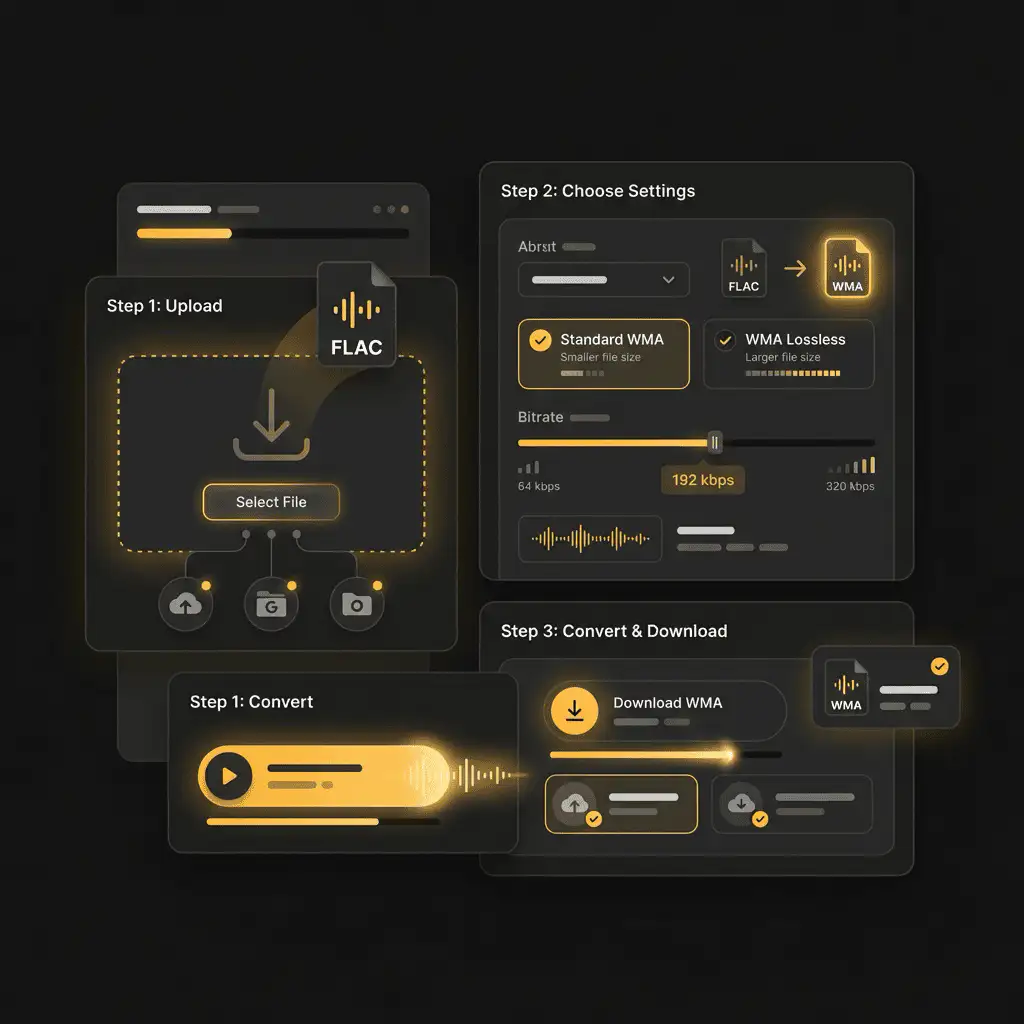
Convert FLAC to WMA without setup
Convert FLAC files to WMA online. Free to use, no account required, and files are deleted after processing.
Augšupielādējiet savu failu
Izvēlieties audio vai video failu no savas ierīces un saglabājiet oriģinālu kā rezerves kopiju.
Pick the output format
Izvēlieties izvades formātu un ļaujiet Sceneform sagatavot konvertēto failu.
Lejupielādējiet rezultātu
Saglabājiet konvertēto failu un izmantojiet to savā redaktorā, atskaņotājā, arhīvā vai publicēšanas procesā.
Formāta piezīme
Converting FLAC to WMA usually makes the file smaller and easier to share, but the output uses lossy compression. Keep the original if quality matters.
What to know before converting FLAC to WMA
A FLAC to WMA converter changes your FLAC file into a WMA file for compatibility, playback, editing, sharing, or publishing. The conversion can make the file easier to use, but it cannot add quality that was not present in the source.
Atbalstītie augšupielādes formāti
Audio uploads: MP3, AAC, FLAC, OGG, WMA, AIFF, WAV, and M4A files up to 200 MB.
Izvade
This page starts with WMA selected, so you can convert without changing the format.
Kvalitātes noteikums
Konvertēšana maina formātu un saderību. Tā neatjauno kvalitāti, izšķirtspēju vai audio detaļas, kas trūka oriģinālajā failā.
Understanding FLAC and WMA formats
What is FLAC?
FLAC is a lossless audio format. It compresses audio without discarding musical detail, so it is useful when quality and archiving matter.
Vislabākais: Music archives, lossless listening, audio preservation, and high-quality source files.
What is WMA?
WMA is Microsoft's Windows Media Audio format. It is a lossy format built for Windows playback and older Windows-oriented media libraries.
Vislabākais: Windows Media Player, older portable players, car systems, and legacy Windows audio workflows.
Why convert FLAC to WMA?
- Use WMA when a Windows Media Player library, older portable player, car stereo, or legacy system expects that format.
- WMA can be practical for Windows-centered archives, but keep an MP3 copy if you need broad compatibility outside that environment.
- Because MP3 and WMA are both lossy formats, use a sensible output bitrate and keep the original file if quality matters.
Related converters
Convert MP3 files to WMA for compatibility, editing, or publishing.
Extract or convert WAV audio to MP3 for easy playback and sharing.
Convert AAC files to OGG for compatibility, editing, or publishing.
Convert AAC files to M4A for compatibility, editing, or publishing.
Convert WMA files to AIFF for compatibility, editing, or publishing.
Convert OGG files to WAV for compatibility, editing, or publishing.
Convert AAC files to WMA for compatibility, editing, or publishing.
Convert AAC files to FLAC for compatibility, editing, or publishing.
Convert FLAC files to M4A for compatibility, editing, or publishing.
Extract or convert M4A audio to MP3 for easy playback and sharing.
Convert FLAC files to OGG for compatibility, editing, or publishing.
Convert OGG files to AIFF for compatibility, editing, or publishing.
Convert MP3 files to WAV for compatibility, editing, or publishing.
Extract or convert OGG audio to MP3 for easy playback and sharing.
Convert MP3 files to AIFF for compatibility, editing, or publishing.
Convert AAC files to WAV for compatibility, editing, or publishing.
Convert OGG files to WMA for compatibility, editing, or publishing.
Convert OGG files to M4A for compatibility, editing, or publishing.
Convert FLAC files to AIFF for compatibility, editing, or publishing.
Convert M4A files to WAV for compatibility, editing, or publishing.
Convert FLAC to WMA
Upload your FLAC file, convert it to WMA, and download the result. Free to use, no account required.